| Index >> Software
HWg-PDMS: IP sensors monitoring software
Windows application for IP sensors data acquisition over LAN or GSM/GPRS. HWg-PDMS collects data and stores them in a central database. Enables central data visualization. A Windows service runs in the background and periodically exports selected values to XML and provides native MS Excel reports.
|
HWg-PDMS is an IP sensors data collector application for Windows. The application collects data from all types of IP sensors (Poseidon xxxx, Damocles xxxx, HWg-STE, HWg-Ares, and more). Data acquisition takes place in the background ("NT service" in Windows) over LAN or GSM/GPRS. Windows interface supports previews and central visualization.
Selected data from the internal database can be periodically exported in the background as a XML database, or natively exported to MS Excel reports using the supplied set of macros.
- The HWg-PDMS remote sensors monitoring software is free of charge for 3 sensors (registration is recommended).
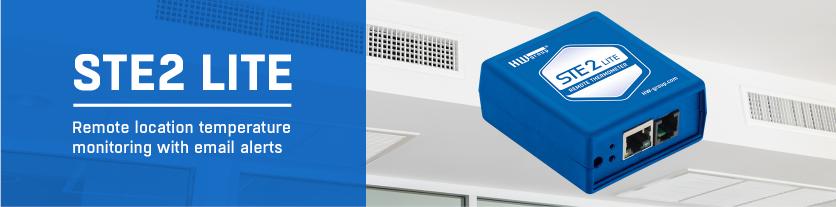
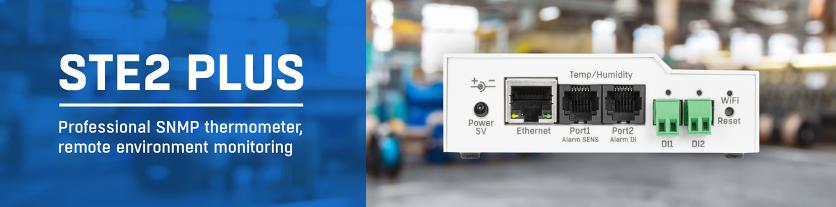
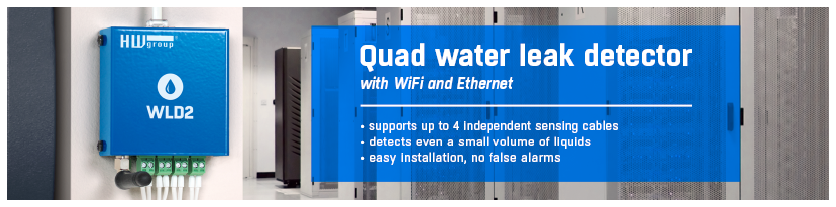
- Compatible IP sensors: Poseidon xxxx / Damocles / HWg-STE / HWg-STE Push / HWg-WLD / HWg-PWR / HWg-Ares
- MS Excel export: periodically in the background, compatible with MS Excel 2007 and newer
Typical applications: Energy monitoring software, temperature monitoring software. |
 
|
Application features

-
Data input: LAN (http) / Email (POP3) / Portal (HWg-Push protocol)
- Data output:
- Graphic preview
- MS Excel export (.XLSx) + XML database (.XML) – daily / weekly / monthly
- Email report (daily / weekly / monthly)
- Applications: MS Windows, NT service (background functions, suitable for servers, too)
- License:
- HWg-PDMS Unregistred Trial: Free of charge – 3 sensors
- HWg-PDMS Registred Trial: Free email registration, free for 3 sensors
- HWg-PDMS 8: 8 sensors (data points)
- HWg-PDMS 20: 20 sensors (data points)
- HWg-PDMS Unlimited: 250 sensors / 100 devices
- MS Excel export: periodically in the background, compatible with MS Excel 2007 and newer
- Database: Firebird
- Language versions: English / Czech / German / French / Dutch / Polish / Indonesian / Italian / Slovene
Typical HWg-PDMS users
- IT department: Software for monitoring temperature, power supply, and access to the server room
- Audit: End user that needs data logging (operations / storage audit).
-
Outsourcing: Log of the provided service quality. The generated MS Excel report can be attached to the invoice for quality assurance purposes.
- Operations logs: History record that can be manually exported to MS Excel if needed.
Practical tips
Remote monitoring – alerts If you need to be alerted to sensor failures or readings out of range by email or text message, use the HWg-PD Trigger software.
- XML data output
Data are exported to MS Excel via a .xml file. This xml file can be generated in the background and used outside of MS Excel.
- Data input by Email (Pop3)
Data transfer by email works even for customers that use a NAT and cannot use a VPN. It is ideal for GSM sensors.
HWg-PDMS exports to MS Excel (report)
- One-time data export – Generated manually for the specified time period. Does not run in the background.
- Periodic data export – Generated automatically in the background after each period ends. For example, every Monday at 0:05 o'clock for the previous week.
Custom data visualization (report)
- MS Excel loads the data into the first sheet, named "Report".
Other sheets can be used for storing custom visualizations for the data in the "Report" sheet.
- Data in the "Report" sheet
- If there are no data in the database for the given sensor at the given time, an empty cell is inserted.
- If the sensor is disconnected, "-999" is inserted.
- If the device was inaccessible, "-998" is inserted.
- Custom data presentations
- Use other sheets for your analysis of the data (ideally, ready for printing on a single page).
- When the template is next loaded, current data are inserted into the first sheet and MS Excel updates the charts and tables in other sheets.
- Even with lots of data, the report can be prepared and printed within 90 seconds.
- The number of lines in the "Report" sheet can vary according to the month (28 / 30 / 31 days), or if the PDMS application does not run. Take it into account in your formulas.
- Disable inserting -998 and -999 values, otherwise you need to take them into account in your formulas.
Edit Report – description of the settings
HWg-PDMS inserts the selected data into the first sheet, "Report", in the Excel file. In order to read the data when the MS Excel file is opened, you need to enable MS Excel macros.
MS Excel report options
- Include value -998 (Unavailable device)
- When unchecked (default), values are ignored when the device was unreachable.
- Check to indicate unreachable devices ("-998" is inserted as the value).
- Include value -999 (Unavailable sensor)
- When unchecked (default), values are ignored when the sensor was unavailable.
- Check to indicate unavailable sensors ("-999" is inserted as the value).
- Include counter increments (Damocles only)
Creates a counter value for each Damocles DI input and inserts it to the Excel file.
- Averages of Values
Computes average values for the given time period and inserts them into the Excel file as a single value. For example, use this to display an average over 15 minutes, even though the internal PDMS database includes a reading for every minute. Enable the option, select 15 minutes, and the Excel report will only include 4 values per hour.
Frequently Asked Questions
- When I have a combo Temperature & Humidity sensor, does it count against the license as one or two sensors?
It counts as two sensors. The limit applies to the number of source values.
- HWg-PDMS is an IP sensors data collector. Can I collect data even from a generic SNMP device?
No, HWg-PDMS only supports sensors from HW group. It can be used with the HWg-PWR device for data acquisition from M-Bus devices.
- Can I receive SMS or email when some sensors don't work?
Not from PDMS, the HWg-PDMS is only an IP sensors monitor software. You can use HWg-PD Trigger to generate alerts (SMS or email); it is designed to work in parallel with HWg-PDMS.
- Can I use the PDMS software together with my SNMP based remote sensors monitoring system?
Yes. It is not a problem to use several different monitoring systems in parallel with one sensor.
- Can I connect the PDMS software to my SCADA?
Not really, PDMS is only an IP sensors data acquisition application. It does not support SCADA system exports. It only generates a XML database at defined intervals (daily, weekly, monthly).
- What is a typical application of HWg-PDMS?
PDMS is typically used as a temperature monitoring software, or for remote energy monitoring.
- Can I check the excel reports on a remote computer?
Yes, you can generate the xml + xlsx files to a remote drive connected over the network. You can even send excel reports as email attachments.
- Where can I find the prices of the HWg-PDMS monitoring software?
Ask our distributors, or request a quote directly from us using the form at this page.
Keywords
HWg-PDMS, IP sensors to excel, IP sensors data collector, remote sensors monitoring, IP sensors monitor software
excel reports, xml database, IP sensors data acquisition, temperature monitoring software, energy monitoring software |
Available licenses
| Order your HWg-PDMS license |
HWg-PDMS Trial (Registered or Unregistered)
|
HWg-PDMS 8
|
HWg-PDMS 20
|
HWg-PDMS unlimited
|
|